

Use case: ask visitors why they leave
Set up an exit-intent interviewer on your cart and checkout, so Seena asks people why they're leaving as they go, and turns their answers into insights.
Analytics can tell you that 38% of people leave at checkout. It can't tell you why. An exit-intent interviewer asks them at the moment they go, in one short conversation, by voice or typing.
This guide sets one up on a cart and checkout. The screens show Underleaf, a demo plant shop.
What you'll set up
- Where: your cart and checkout pages
- When: as the visitor is leaving the page
- What: two research goals and one opening question
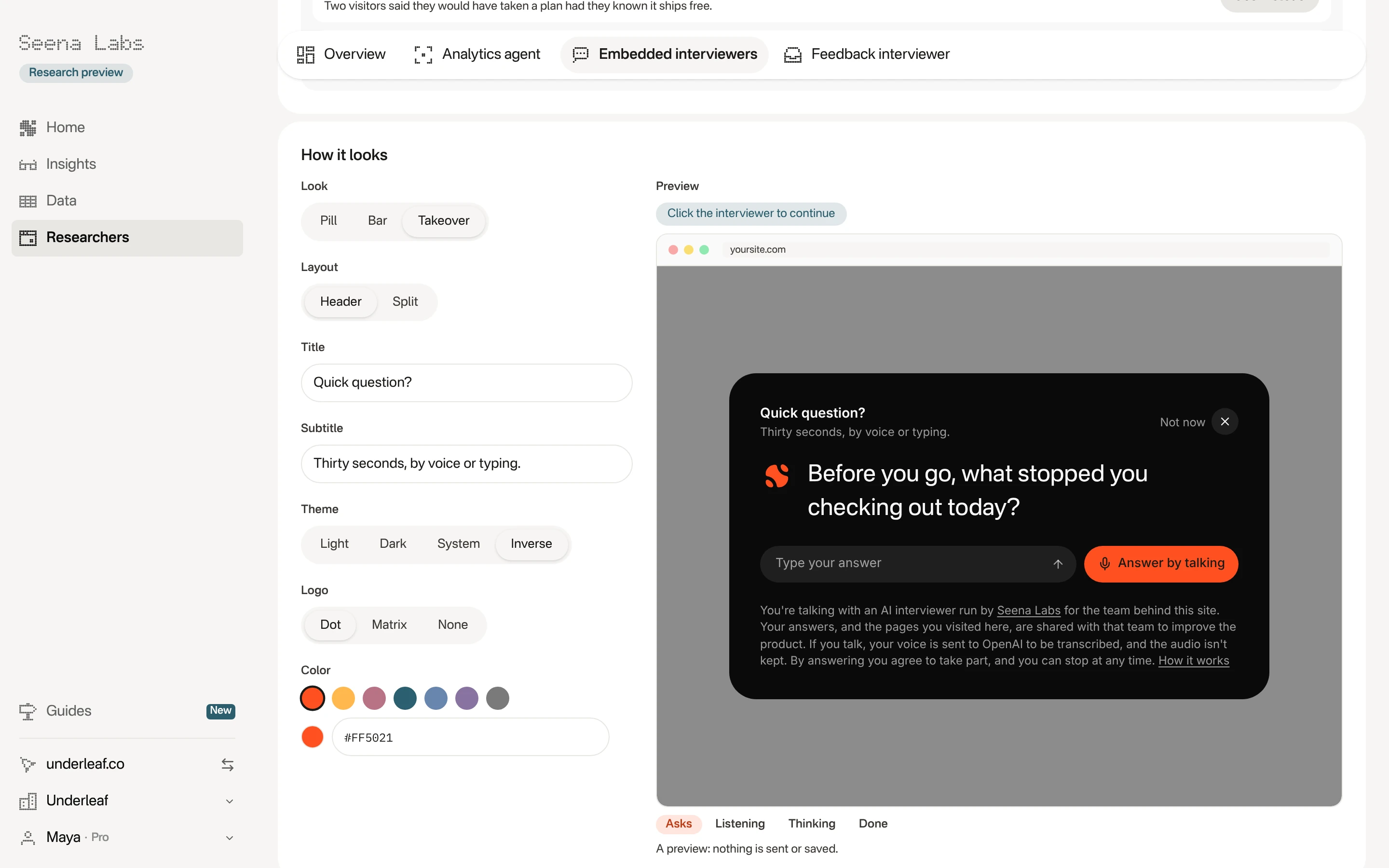
- Look: a full-screen takeover
1. Create an interviewer
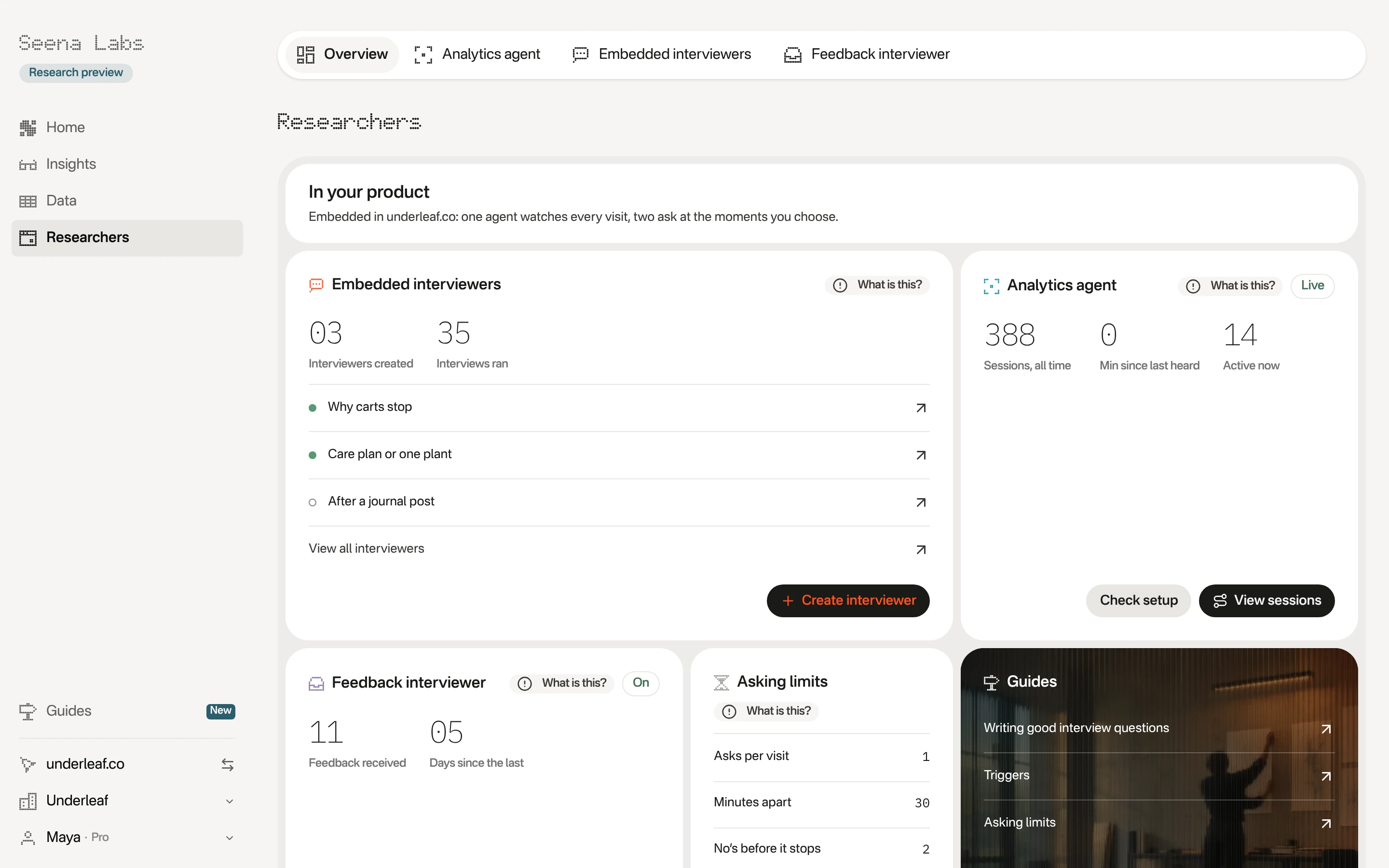
Open Researchers and choose Create interviewer. Your existing interviewers are listed in the same card.
2. Choose where it asks
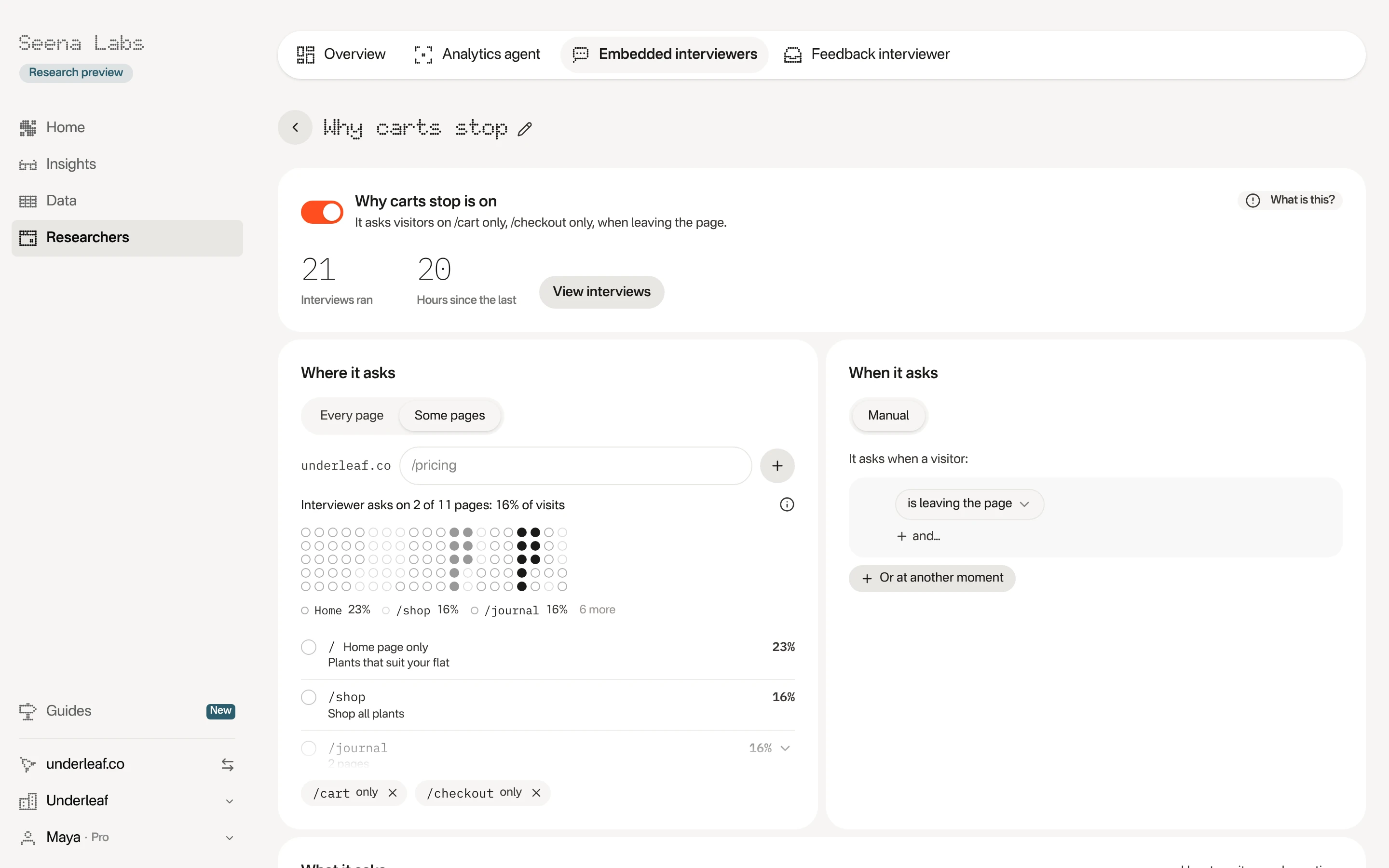
Under Where it asks, choose Some pages and add your cart and checkout paths. Pick only for each, so the interviewer doesn't also ask on pages beneath them, such as your order confirmation page.
Seena shows how much of your traffic those pages reach. Here, 2 of 11 pages make up 16% of visits.
3. Ask when they're leaving
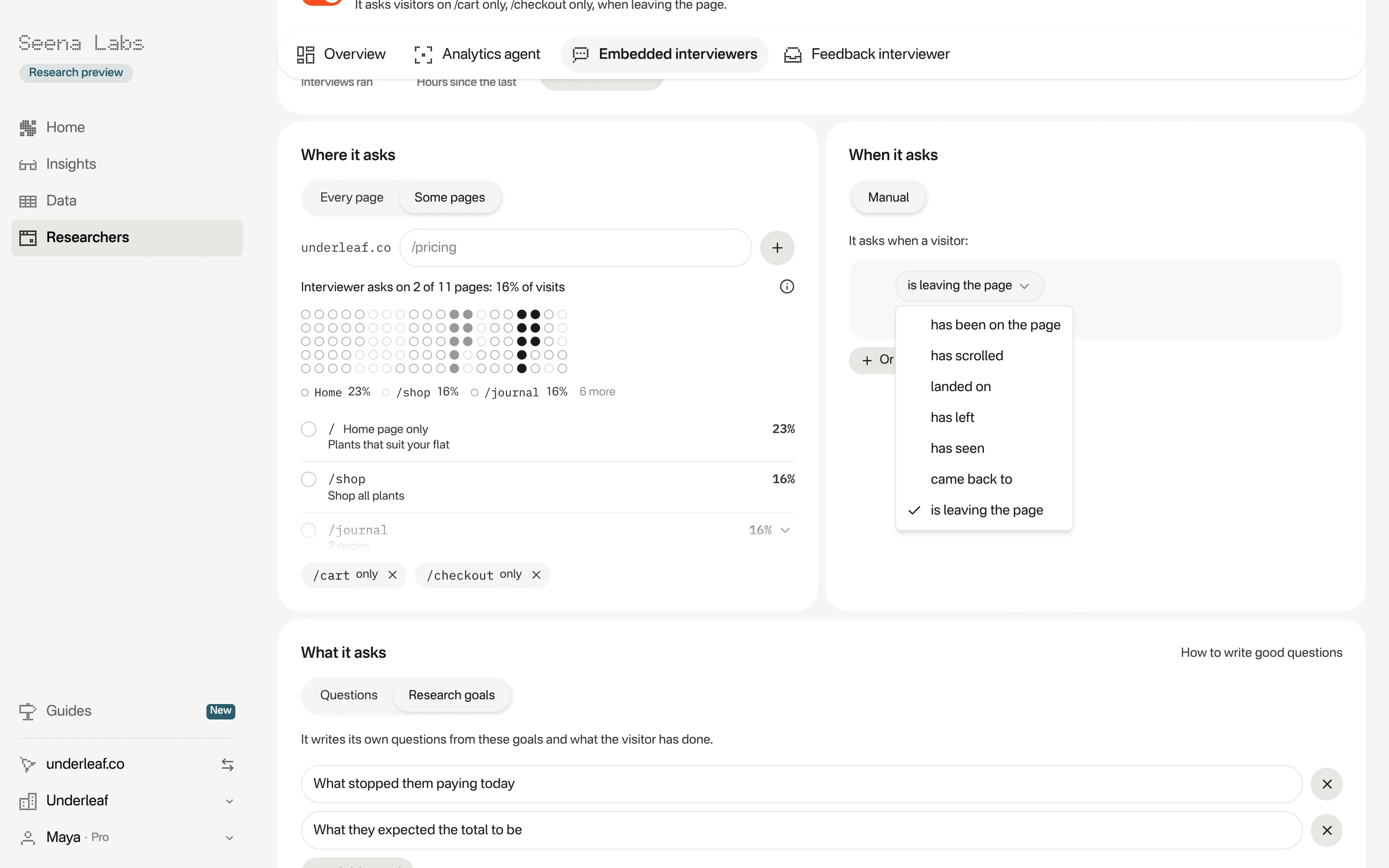
Under When it asks, choose is leaving the page.
- On a computer, it opens when the pointer leaves the top of the window, toward the tabs or the back button.
- On a phone, it opens on a quick scroll back up the page, the usual move before leaving.
Your asking limits still apply, so a visitor is asked at most once a visit, however often they head for the door. You can change them on the Researchers page.
4. Decide what it asks
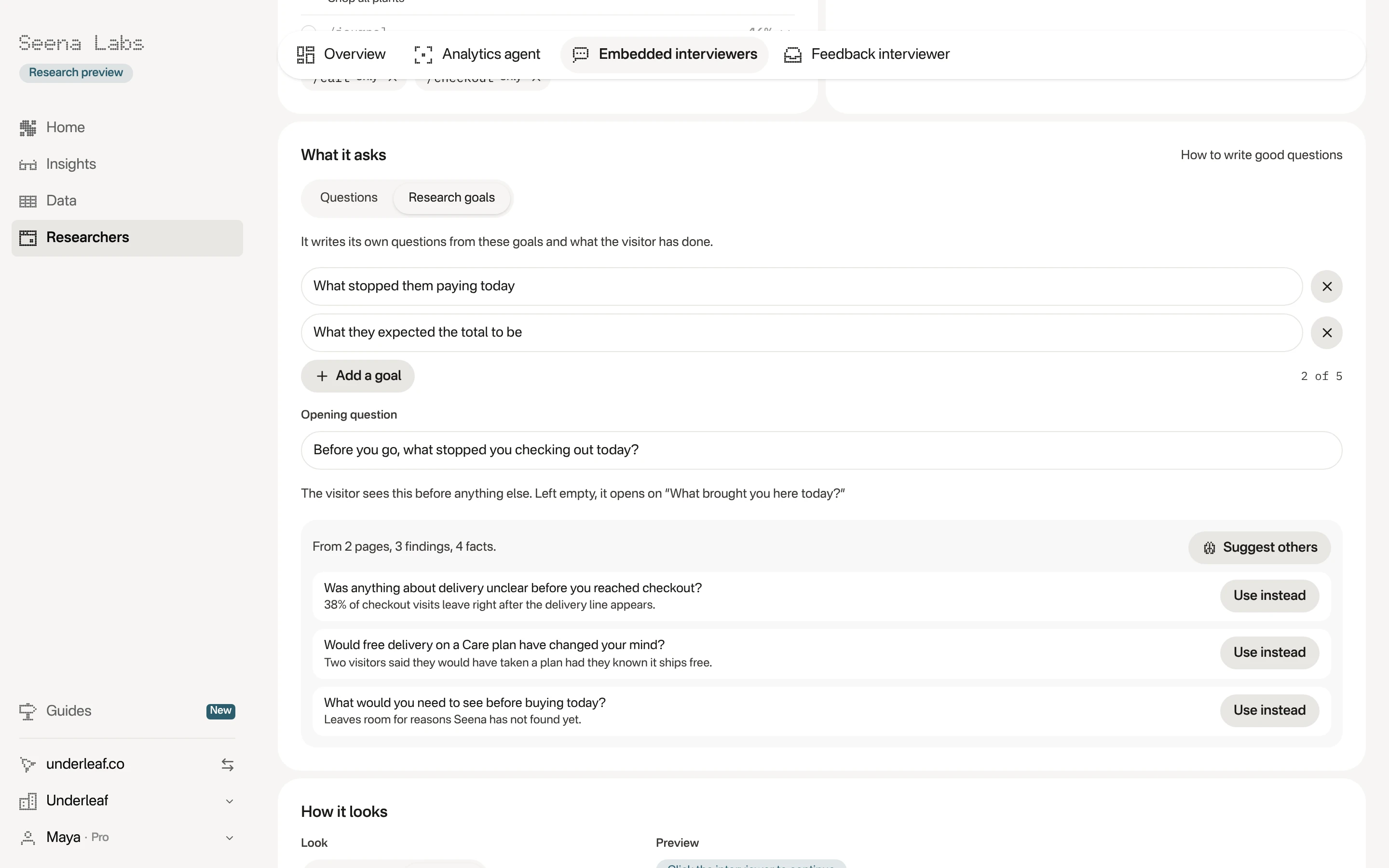
You can write exact Questions, or give it Research goals and let it write its own questions from what the visitor has just done. For exit intent, goals work well: someone who left at the delivery line gets a different follow-up from someone who left at payment.
Good goals for a checkout:
- What stopped them paying today
- What they expected the total to be
Then write an Opening question. It's the first thing the visitor sees, so make it short and about the moment: Before you go, what stopped you checking out today?
Not sure what to ask? Choose Suggest questions. Seena drafts three from your pages and what it has already found, and says why it chose each one.
5. Choose how it looks
Someone leaving is already halfway out the door, so pick the look that gets their attention.
- Takeover dims the page and centers the question. It's the best fit for exit intent: one answer matters more than the page they're leaving.
- Bar sits along the bottom or top edge and asks the opening question at once. Use it where a takeover would feel like too much.
- Pill is the smallest. It opens on a question or a short welcome.
The preview shows each look on a page as you switch, with its states: asks, listening, thinking and done.
Turn the interviewer on with the switch at the top, then choose Update.
6. Read what people said
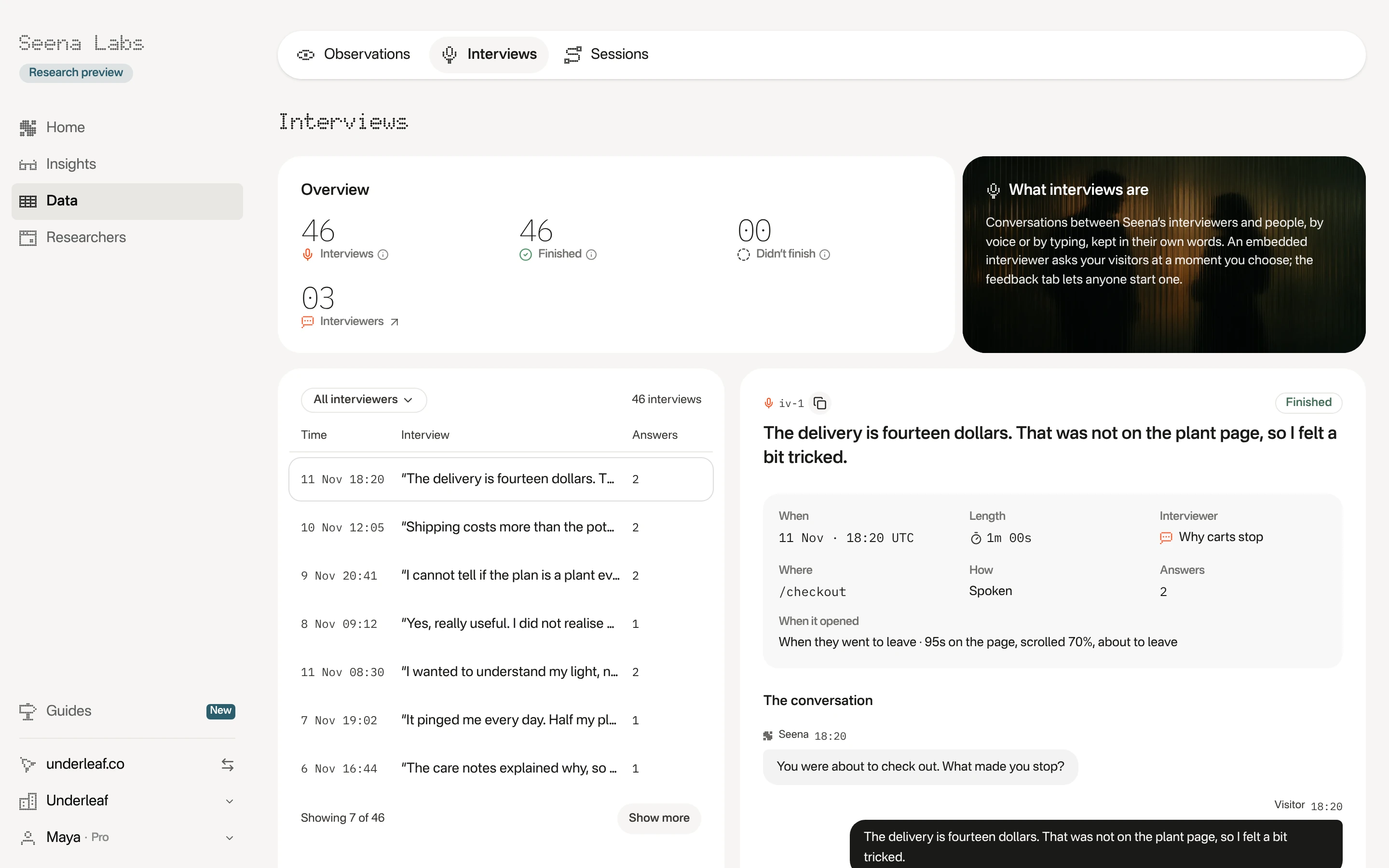
Each conversation appears in Data › Interviews, with where and when it opened, and the whole exchange in the visitor's own words.
7. See what it adds up to
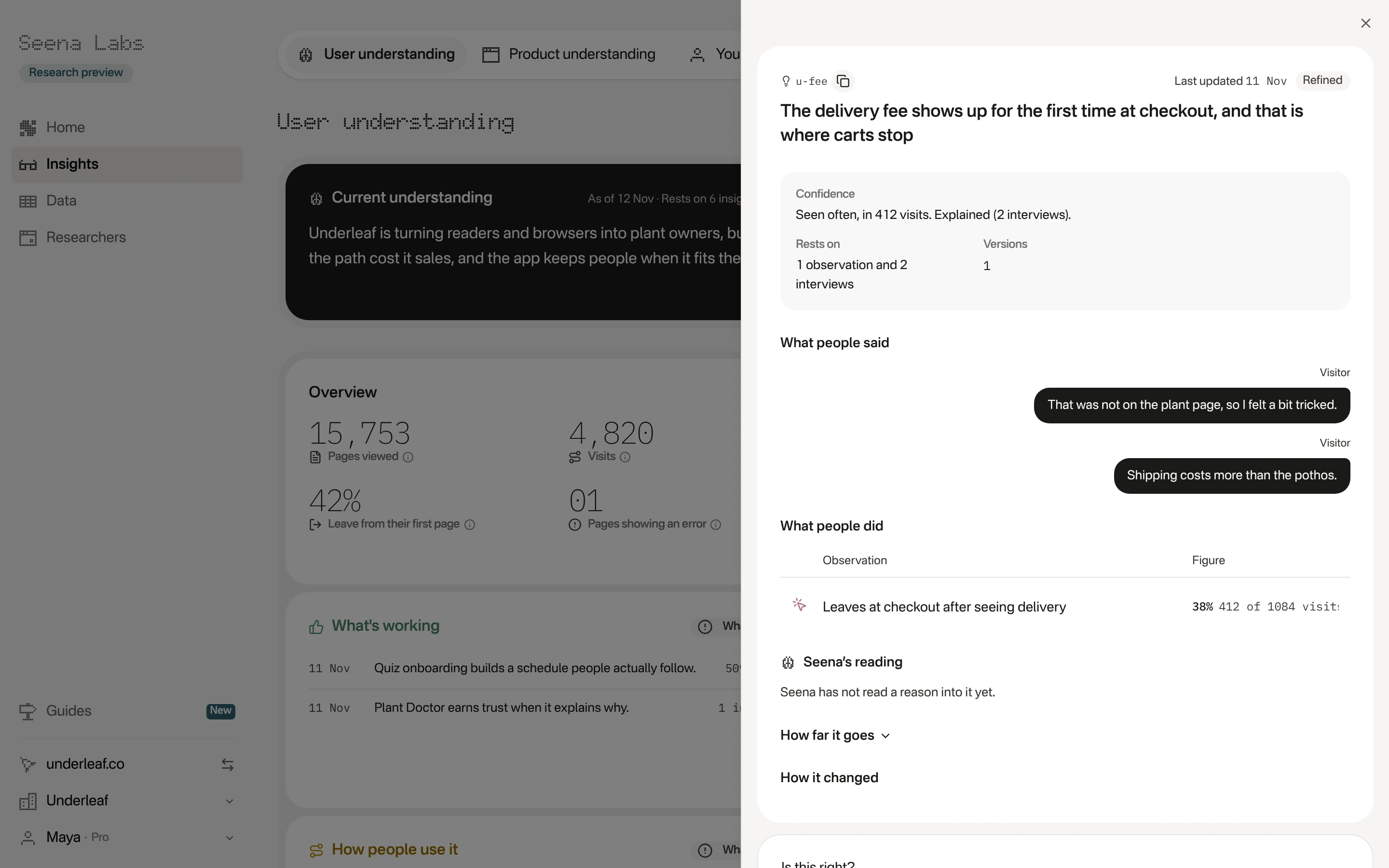
You don't have to read every interview. Seena puts what people said next to what they did, and writes it up as an insight under Insights. Here, two people's answers explain why 412 visits ended at checkout: the delivery fee shows up there for the first time.
Tips
- Keep it to checkout and cart at first. Exit intent on every page asks people who were done anyway.
- Ask about the moment, not the brand. "What stopped you checking out?" gets reasons. "How do you feel about us?" gets politeness.
- Give it a week. A dozen answers is usually enough for Seena to see a pattern.