Custom session data is here
Give Seena the customer, account, plan, and experiment context you already know so sessions, settings, and the Librarian all get sharper.
Today, Seena can carry your own session context alongside what it already observes.
That means customer IDs, account IDs, plan tiers, environments, experiment variants, signed-in state, and the other small pieces of metadata that make a session legible once you know your product and your users.
This matters because product understanding rarely fails on the replay itself. It fails on the missing context around the replay.
You look at a session and immediately want to know:
- Was this a free user or an enterprise customer?
- Was this account in onboarding or already activated?
- Was this visitor part of the pricing experiment?
- Was this traffic coming from production or a staging environment?
Custom session data gives Seena that layer.
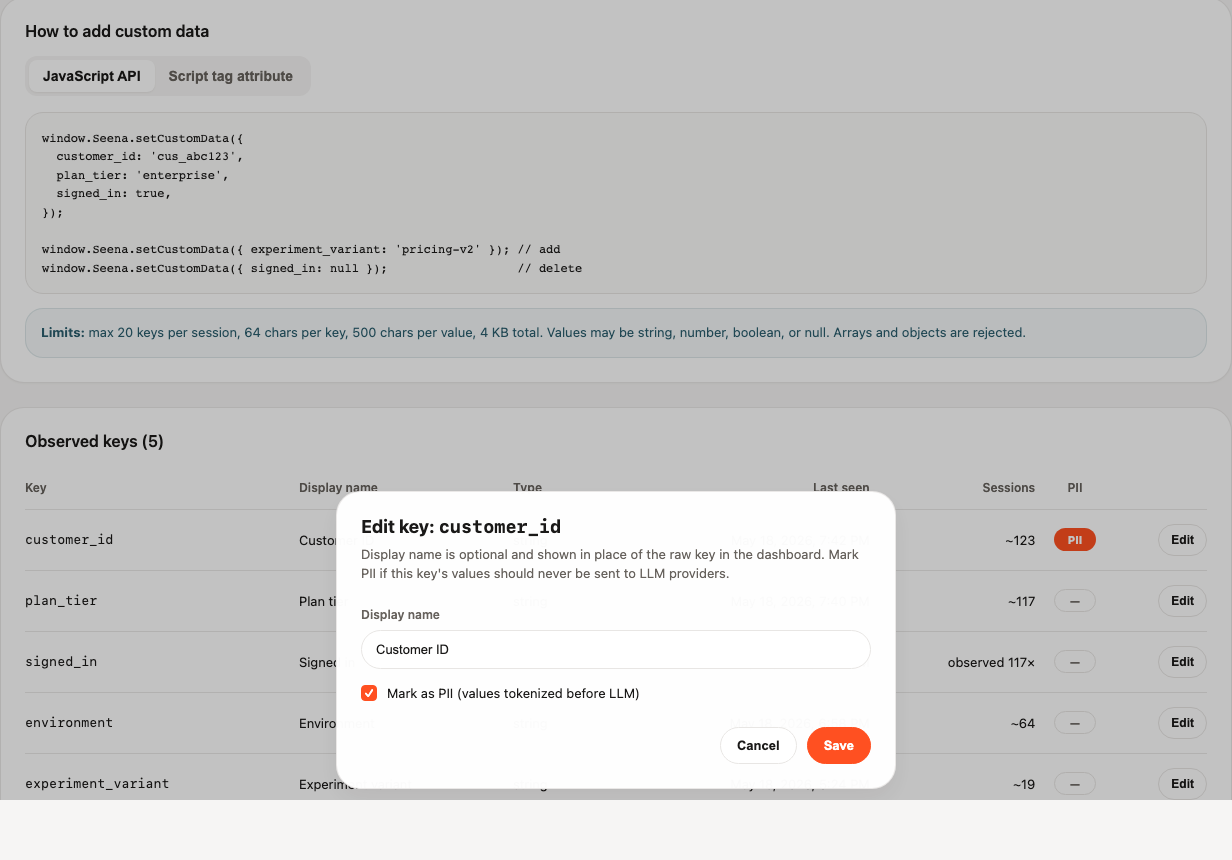
Custom data.
You can now attach small key-value fields to the active session in two ways:
- by calling
Seena.setCustomData(...)after the widget loads - by putting a
data-custom-data='...'attribute directly on the install script
Once sent, that data shows up in the places where it actually helps:
- Site settings, where you can review observed keys, mark them as PII, and inspect rejected writes
- Session detail, where each session gets a Custom Data card
- The Librarian, which can use those fields to answer questions like "show me enterprise sessions" or "what are Pro users struggling with?"
This is intentionally small and practical. The goal is to make Seena legible to the teams already using it, not turn the widget into a second analytics warehouse.
Installation takes one line of script and one line of context.
If you already have Seena installed, the fastest path is to add setCustomData after the widget becomes available:
<script>
  window.SeenaReady = window.SeenaReady || [];
  window.SeenaReady.push(function () {
    Seena.setCustomData({
      customer_id: 'cus_123',
      plan_tier: 'enterprise',
      experiment_variant: 'pricing-v2',
      signed_in: true
    });
  });
</script>
If the values are known at render time, you can also place them directly on the script tag:
<script
  src="https://app.seenalabs.io/widget/seena.js"
  data-site-id="YOUR_SITE_ID"
  data-custom-data='{"environment":"production","plan_tier":"pro"}'
  async
></script>
Safe where it counts.
Some session fields are useful for humans and dangerous for model providers.
So custom session data includes a simple but important control: mark a key as PII in settings and Seena will keep the raw value out of LLM context.
That gives you a practical way to use fields like:
customer_idaccount_id- email-like identifiers
- internal IDs tied to a specific person or company
The raw value still exists in Seena where you need it operationally. But when the Librarian works with that field, it receives a tokenized placeholder instead of the literal identifier.
This is also the right place to say the quiet part clearly: custom session data is client-provided context, not a verified identity system. It is there to help Seena interpret what happened, not to replace your backend as the source of truth for entitlement, billing, or authorization.
What this unlocks in practice.
Once the context is attached, the product becomes much easier to work with:
- Session review gets faster because you can immediately see what kind of user or account you are looking at.
- The Librarian can work in real cohorts instead of only behavioral guesses.
- Teams can keep experiments, environments, and customer tiers close to the evidence instead of reconstructing them later from a separate system.
That is the real win here. Less translation work. Less "wait, which kind of user was this?" More direct understanding.
Read the guide.
If you want the full setup details, limits, naming rules, and examples, start here:
And if you want the adjacent surfaces:
We're happy with this release because it makes Seena easier to understand from the inside. The product already knew what people were doing. Now it can carry more of the context you already know while it does it.